 Babbi Natale
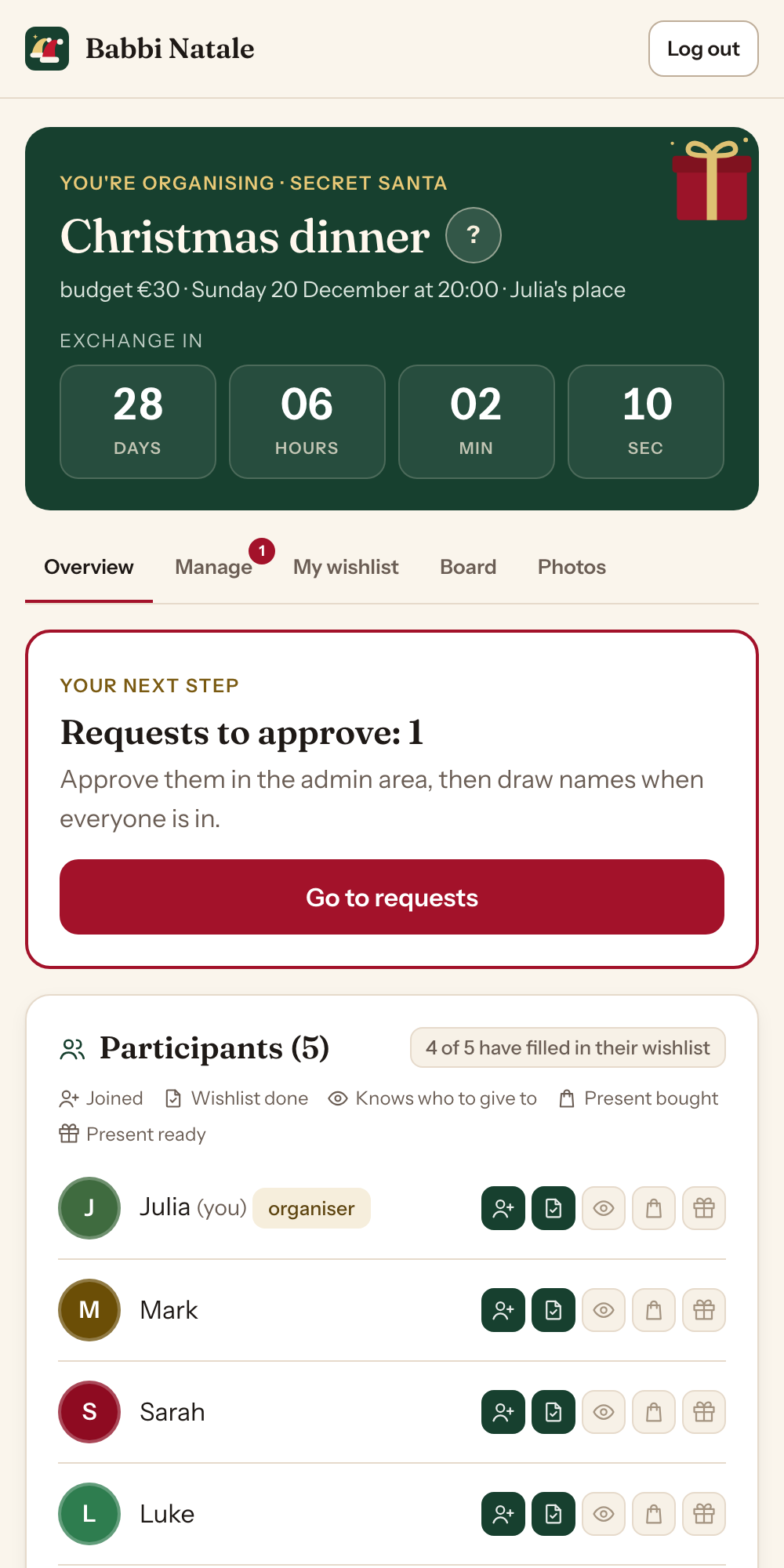
Organise your Secret Santa and share the link
Name, budget, date and place. You get a link and a code to share with one tap.
The easiest way to organise a Secret Santa: set up your group in 2 minutes, share the link on WhatsApp and the name generator does the rest. Everyone only finds out who they're giving to.

Type the names or upload a file, draw and download who gives to whom. No sign-up.
These are real screenshots from the app, with a sample group.
Name, budget, date and place. You get a link and a code to share with one tap.
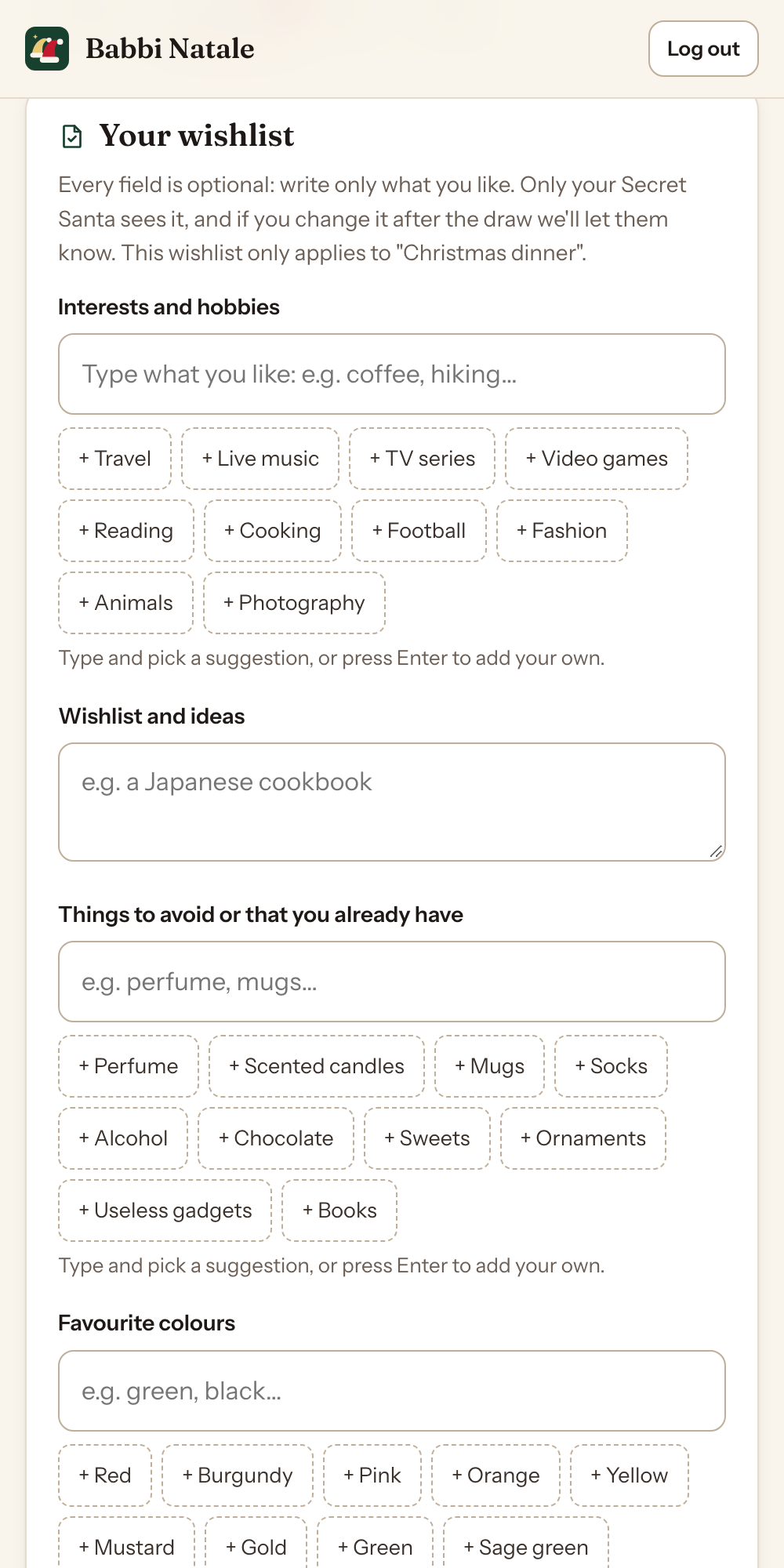
Whoever opens the link signs up and asks to join. Once you approve, they can add sizes, tastes and gift ideas if they like.
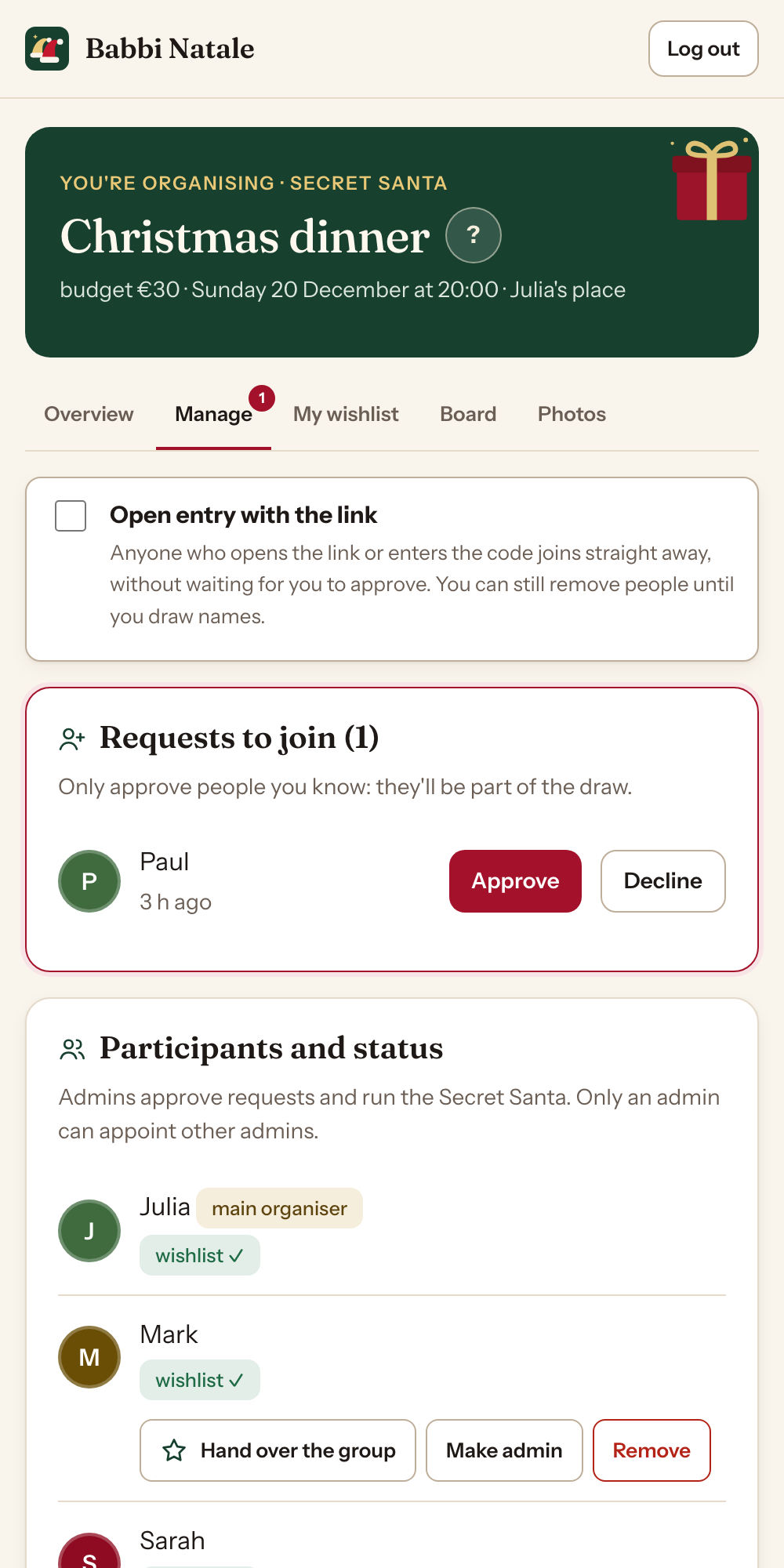
Accept requests, exclude couples and siblings from each other, then tap «Draw names». You can also see who has filled in their wishlist.
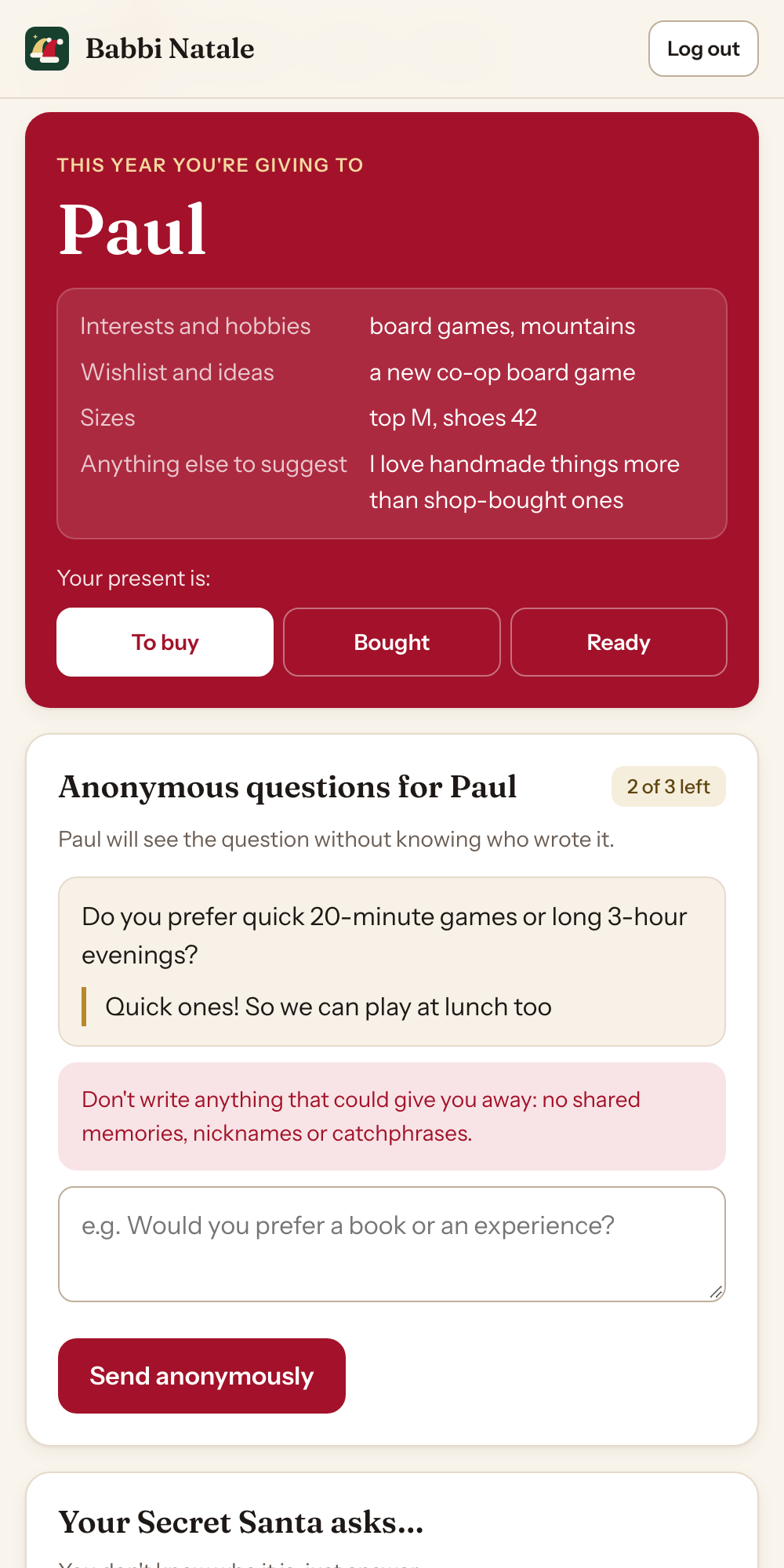
Open the present, see the person's wishlist, ask up to 3 anonymous questions and follow the countdown.

The draw happens online, the exchange happens in person. Here's what everyone does on the day.
Wrap your present at home, before you leave.
Attach a tag with the recipient's name. Not yours: it has to stay secret.
Put it in the sack the organiser brings. At the end of the evening the presents come out one by one and everyone opens theirs.
Who was your Secret Santa? If you all like, you can reveal it out loud once the presents are open.
Secret Santa is just one present. In «My presents» you plan all the others too: mum, grandparents, colleagues. Ideas tailored to their interests, budget, how far along you are. Only you can see it.
Days, hours and minutes to the exchange, always in sight.
Messages for everyone: who's bringing dessert, time changes, greetings.
Tops, shoes, colours, hobbies, things to avoid, allergies and a free field. All optional.
Up to 3 questions for the person you drew, without giving yourself away.
Givers only see the wishlist and a number to write on the present. You find out who you gave to only on exchange day.
Couples, siblings, flatmates: you decide who shouldn't give to whom.
We tell you what's missing: wishlist to fill in, questions to answer, present to buy.
Friends, family, office: all in the same personal area.
To buy, bought, ready: the organiser sees who's running late.
Everyone picks their language when signing up: great for mixed groups.
Made-up reviews, obviously. The draw works for real, though.
"There are 300 of us elves in the workshop and every year someone drew themselves. With exclusions and the automatic draw: no drama, no offended reindeer."
"I always arrive last, I know. But the anonymous questions told me the right shoe size for the stockings. Approved, and no coal."
"For the first time in centuries I delegated: now everyone is somebody's Santa. I just carry the sack and enjoy the evening. Ho ho ho!"
Yes. No cost, no paid plan, no ads, no selling of data. Babbi Natale is a project by Kteon, which builds digital tools: it's free because it showcases our work.
Yes, with the quick draw: type the names or upload a .txt or .csv file, add exclusions, draw and download who gives to whom. Names stay on your phone. Whoever runs the draw sees every pair, though: if you want everyone to see only their own, create a free group.
No, it works in the browser on your phone or computer. You can add it to your home screen if you like.
Because you don't need one: a username and password are enough. If you forget your password, tap «Forgot your password?» on the log-in page and your Secret Santa organiser sends you a temporary one.
They choose when creating the group. If they play too, nobody sees the matches, not even them. If they only organise, they can see them to help the others.
In the Manage tab you add exclusions in pairs: they work both ways and the draw always respects them. If the exclusions make a draw impossible, the app tells you why.
Yes: the person receiving a question never sees who wrote it. Just be careful what you write: a shared memory gives you away on its own.
Everyone wraps their present, attaches a tag with the recipient's name (not their own!) and puts it in the sack the organiser brings. At the end of the evening the presents come out one by one and everyone opens theirs.
Yes, with anonymous mode. Givers only see the wishlist and a number to write on the present, not the name. Only admins know which number belongs to whom, to hand out the presents. On exchange day the app reveals who you gave to.
You decide. Usually whoever opens the link or types the code sends a request, which you accept or decline in the Manage tab. If you prefer, turn on «open entry»: anyone with the link joins straight away, and you can still remove people until the draw.
Yes, with the same profile. Each group has its own wishlist.
We only store your username, name, wishlists, board messages, questions and your «My presents» list, which only you can see. Others in the group only see your name. You can delete your profile from the Profile page (after a draw, once the exchange is over). Details in the privacy policy.
